
Keep your records together.
The parcel that never arrived. The deposit you want back. The repair that made things worse. Proof holds the photos, the receipts, the dates and what you were told, in one place you can hand to someone when it matters.
Requires iOS 26. Your records sync to your own account.
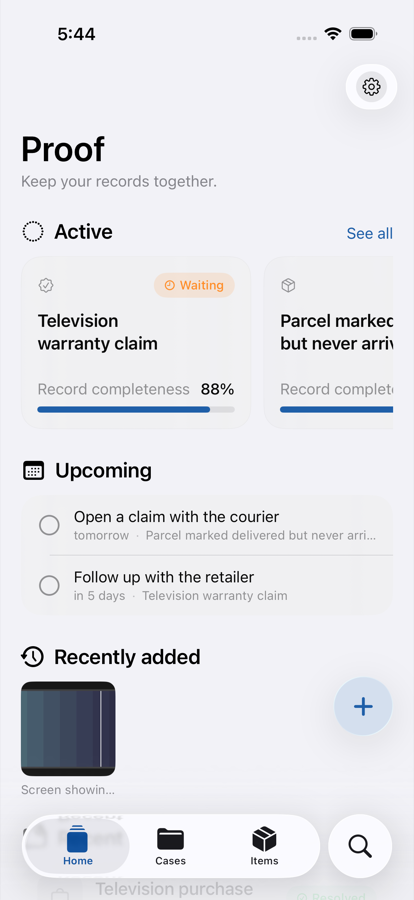
One case, everything about it
Start a case when something goes wrong or when you buy something worth keeping paperwork for. Add to it whenever you have something new.
Capture it as it happens
Photograph the damage, scan the letter, import a PDF, or send something in from another app. Proof stores the original file untouched and records when it arrived.
Read without retyping
Scan a receipt and Proof looks for the date, the total and the reference number on the device itself. You confirm what it found before it saves anything.
Watch the order build
Every photo, call note and reply lands on one dated timeline. Six weeks later you can say what happened and on which day, without trusting your memory.
Find it a year later
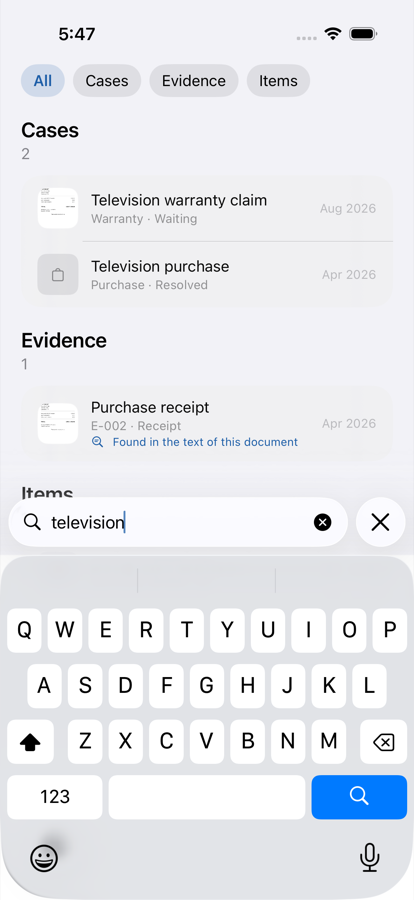
Search reads inside your documents, so the receipt for the television turns up when you type "television" even though you never typed that word yourself. Dates and amounts work the same way: try "July 2026" or "$500".
- Matches inside scanned text, not only titles you wrote
- Filters by kind, so "receipts" lists the receipts
- Works with no signal, because the search runs on the phone
Know what you own
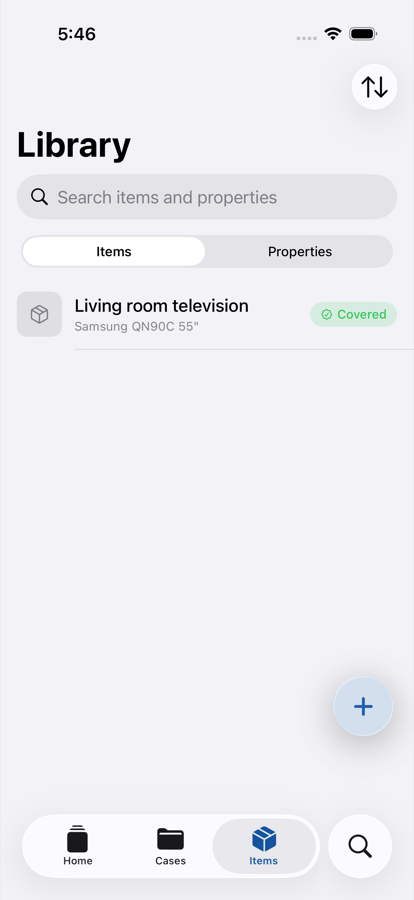
Add the television once. Its purchase, its warranty and the repair that followed all hang off the same item, so you stop keeping three copies of the same serial number. Proof tells you before a warranty runs out.
Renting somewhere? Document it room by room on the way in, do the same on the way out, and compare the two.
Hand it over in one piece
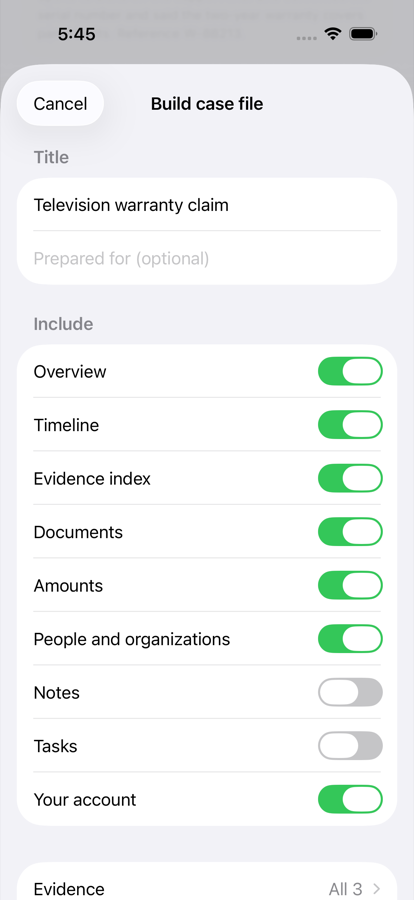
Build a PDF case file and every photo becomes a numbered exhibit, every entry gets a date, and your own account of events stays marked as yours. The wording stays neutral: Proof lays out what you have and makes no accusation on your behalf.
Prefer a link? Create one and choose exactly what it shows. Turn it off whenever you like, and it stops working immediately.
Your records stay yours
Proof holds evidence about disputes people are in. That shapes every decision below.
Reading happens here
Text recognition runs on your iPhone. Your documents are not sent anywhere to be read.
Nothing leaves by accident
A case goes nowhere until you build a file or create a link. Links carry only the parts you tick.
You can take it all back
Export everything as a folder of your original files. Delete your account and the copies go with it.
Locked when the phone is
Face ID can gate the app, and case titles stay hidden in the app switcher.
No profile of you
Proof counts actions to know which screens get used. It never records what a case is about.
Your library is untouched
Proof imports only the photos you pick. It never reads your messages, mail or contacts on its own.
Questions
Does Proof work offline?
Yes. Everything you do lands on the phone first: capture, search, reports. Sync catches up when you have signal again, and a failed upload never loses the file.
Why do I need an account?
So your records survive the phone. Cases are backed up to your own account and appear on your other devices. Sign in with Apple, Google, or an email address, once. You stay signed in after that.
Can Proof tell me whether I will win?
No, and it will not pretend to. Proof organises what you have and keeps it in order. It gives no legal, insurance or financial advice, and nothing it produces is advice.
What happens to a receipt after Proof scans it?
The original stays exactly as you added it. Proof reads a copy on the device, shows you the date, amount and reference it found, and saves those only after you confirm them.
Can I get my data out?
Export a case as a PDF, or export everything as an archive of your original files with a manifest listing each one. Nothing is locked in a format only Proof can open.
Start with the thing you are worried about
One case, one photo, two minutes. The next time somebody asks what happened and when, you will have an answer with dates on it.
Coming to the App Store. Email us and we will send a TestFlight invite.